- GitHub Actions is a workflow automation service
- It helps build and execute workflows, CI/CD pipelines, etc
Workflows
- Workflow files should be located within the
.github/workflowsdirectory in the project root and have a.ymlor.yamlextension - Your workflow contains one or more jobs which can run in sequential order or in parallel
- A GitHub Actions workflow to be triggered when an event occurs in your repository
workflows is a special term, GitHub won't identify your workflows if they are placed in a directory with a different name
Example workflow file
name: GitHub Actions Demo
on: [push]
jobs:
  Explore-GitHub-Actions:
    runs-on: ubuntu-latest
    steps:
      - run: echo "🎉 This is step 1"
      - run: echo "🐧 This is another step"
      - name: Check out repository code
        uses: actions/checkout@v4
      - name: List files in the repository
        run: |
          ls ${{ github.workspace }}
      - run: echo "🍏 This is the last step"
  Another-Job:
    runs-on: ubuntu-latest
    steps:
      - run: echo "🎉 This is step 1"
Refer to actions quick-start for links to pre-built workflows
Jobs
- A job is a set of steps in a workflow that is executed on the same runner
- Each job will run inside its own virtual machine runner
- A job has one or more steps that either run a script that you define or run an action, which is a reusable extension that can simplify your workflow.
- Steps are executed in order and are dependent on each other. Since each step is executed on the same runner, you can share data from one step to another
- You can configure a job’s dependencies with other jobs; by default, jobs have no dependencies and run in parallel with each other. When a job takes a dependency on another job, it will wait for the dependent job to complete before it can run
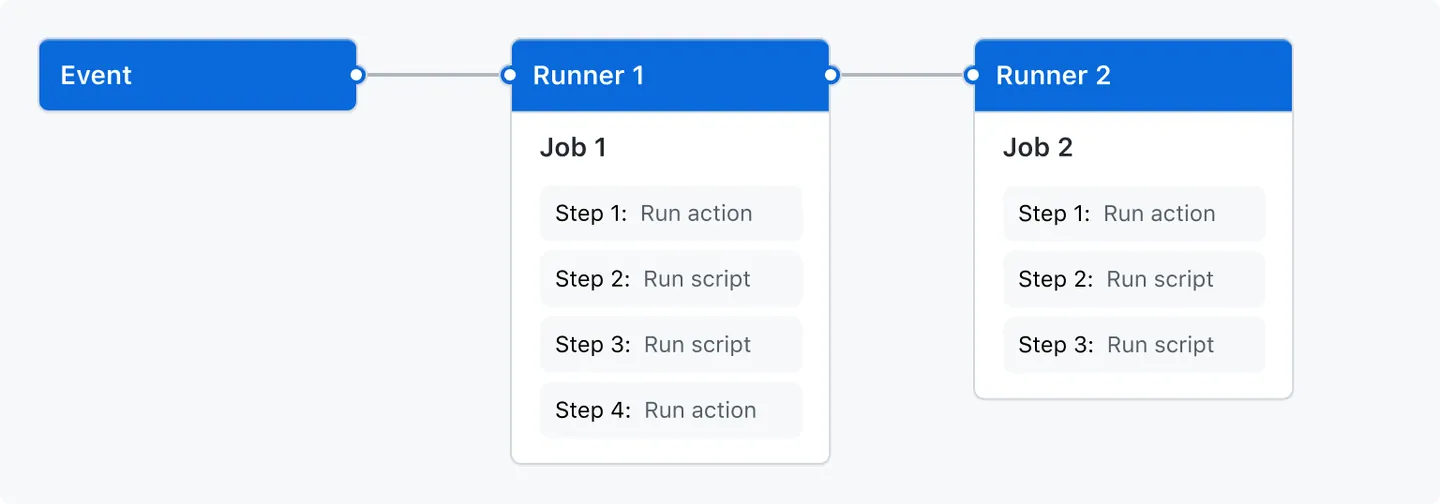
Events
- An event is a specific activity in a repository that triggers a workflow run
github.actor
github.event_name
runner.os
github.repository
github.workspace
job.status
github.ref

- run: echo "🍏 This job's status is ${{ job.status }}